-
[iOS] Signing & Capabilities에서 Background Modes가 추가되지 않는 오류iOS 2023. 4. 18. 17:17
백그라운드에서 위치를 받아오기 위해서 Signing & Capabilities에서 Background Modes를 추가해주려고 했다. 근데 이런 오류 메시지가 나왔고, Cancel과 Change All 버튼 둘 중 어떤 걸 클릭해도 Background Modes가 추가되지 않았다.
The Background Modes capability should not be varied by configuration.
Make changes to Background Modes by changing all configurations.
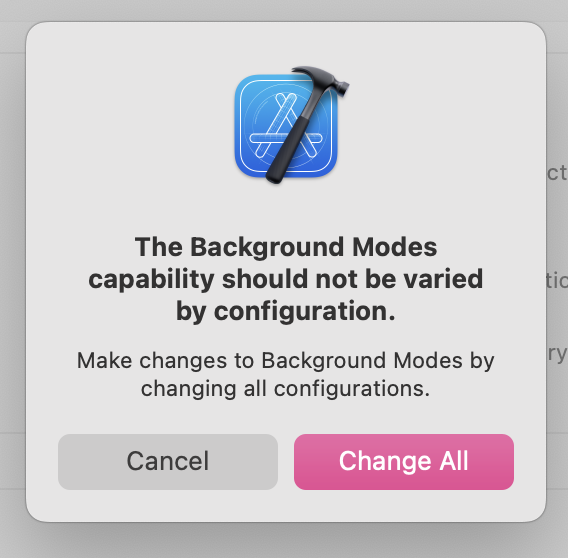
역시 스택오버플로우 짱~
How to enable capability with Tuist iOS
Tuist를 사용하기 때문에 Xcode의 Setting을 직접적으로 변경할 수 없었다.
Tuist를 사용한다는 것 자체가 .xcodeproj를 수동으로 유지 관리할 필요가 없다는 것이기 때문에, 모든 관련 설정들은 Tuist Configuration에 정의되어 있다. tuist generate 명령어를 통해 .xcodeproj가 생성된다~!
Info.plist 변경사항의 경우, [String: InfoPlist.Value]의 InfoPlist 딕셔너리를 사용해야 한다.
Background Mode의 경우, 예를 들면 "UIBackgroundModes": ["fetch", "remote-notification", "remove-notification"]와 같이 사용한다. 이렇게 하면, 프로젝트의 타겟에 해당 InfoPlist 정보를 제공할 수 있다.
Info.plist에 "UIBackgroundModes": ["location"]를 추가하면 된다!
UIBackgroundModes와 관련된 Key, Value들은 여기를 참고하면 된다.
'iOS' 카테고리의 다른 글
[iOS] Swift Package Manager (SPM) 생성하기 (0) 2023.05.16 [iOS] Swift Package Manager (SPM) (0) 2023.05.11 [iOS] 시뮬레이터/실기기에서 설정에 빌드한 앱이 나오지 않는 경우 (Feat. Settings.Bundle) (0) 2023.04.05 [iOS] SnapshotTesting with SwiftUI (v1.11.0) (0) 2023.04.05 [iOS] Sharing Framework? (0) 2023.02.03